
How can we help you?
ZenithTV displays 0 category or 0 content: quick fix
⚠️ Does the TV channels, movies or series section display 0 categories or 0 content in ZenithTV? We've got the solution.
If you open a section (TV channels, Movies or Series) and see 0 category or 0 content, no stress. It's a common bug and it's fixed in seconds.
⠀
🔄 Solution: Update category
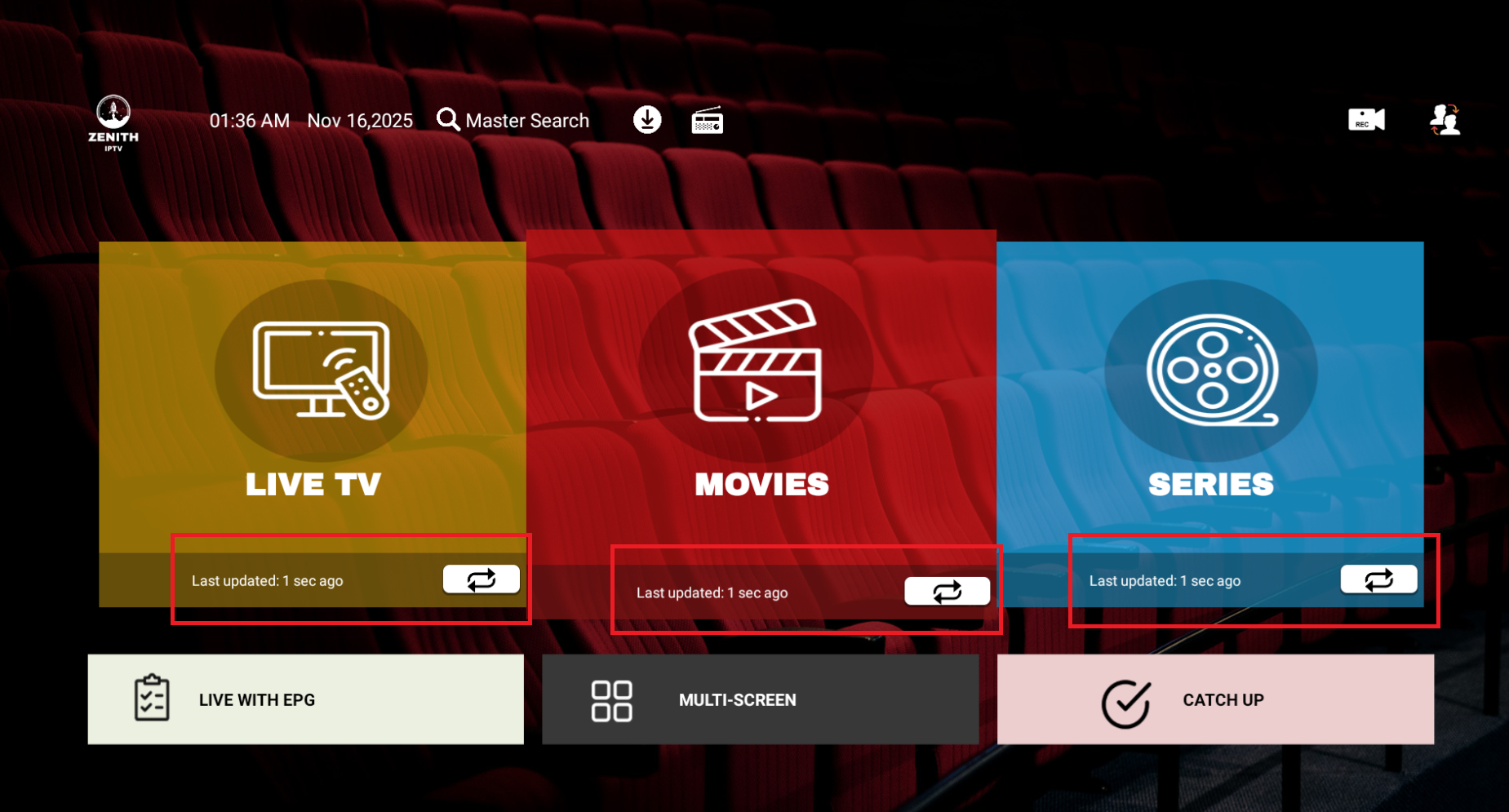
- Since the main menu, find the category that displays 0 contents
- Click on «Update» or on the update icon just below it
- Wait a few seconds: the category reloads automatically
➡️ Important information: No need to update all categories. Just update the broken one (Channels, Movies or Series).
⠀
Here's the update icon:
⠀
💡 Tip: If the content doesn't come back, restart your application and device. In 99% of cases, this solves the problem.
 French
  English


